
Payment Method Settings
Managing Payment Methods
Your Rumspeed subscription is paid with the payment methods on your account. The account owner can manage them anytime under Settings → Team Settings → Payment Methods — add a card or bank account, choose which one is charged, and remove ones you no longer use.
Add a payment method
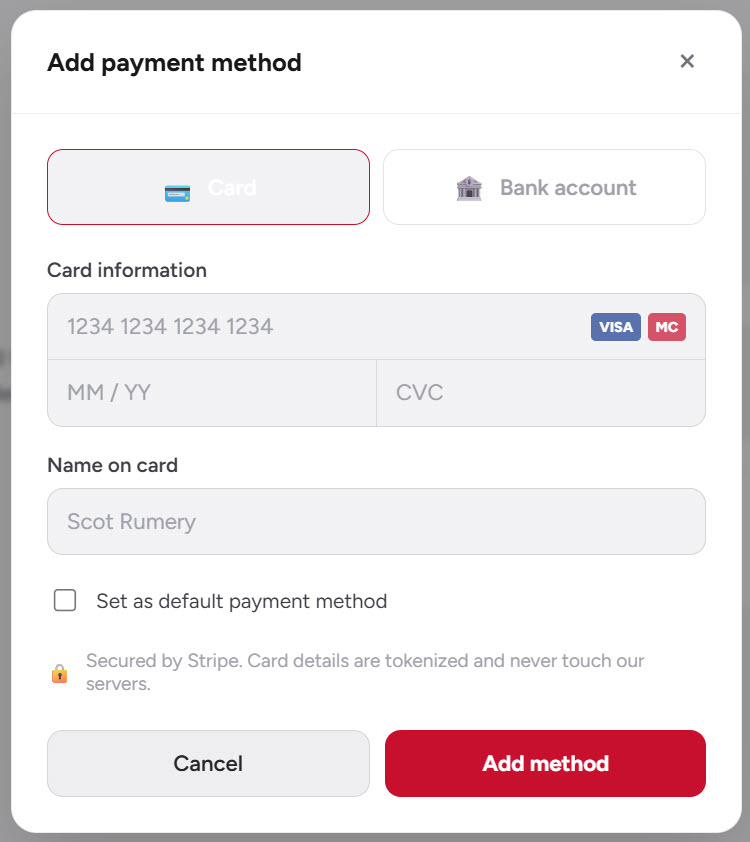
Click Add payment method, choose Card or Bank account, enter your details, and click Add method. Tick Set as default payment method if you want it charged going forward. Payments are processed securely through Stripe.
Choose your default
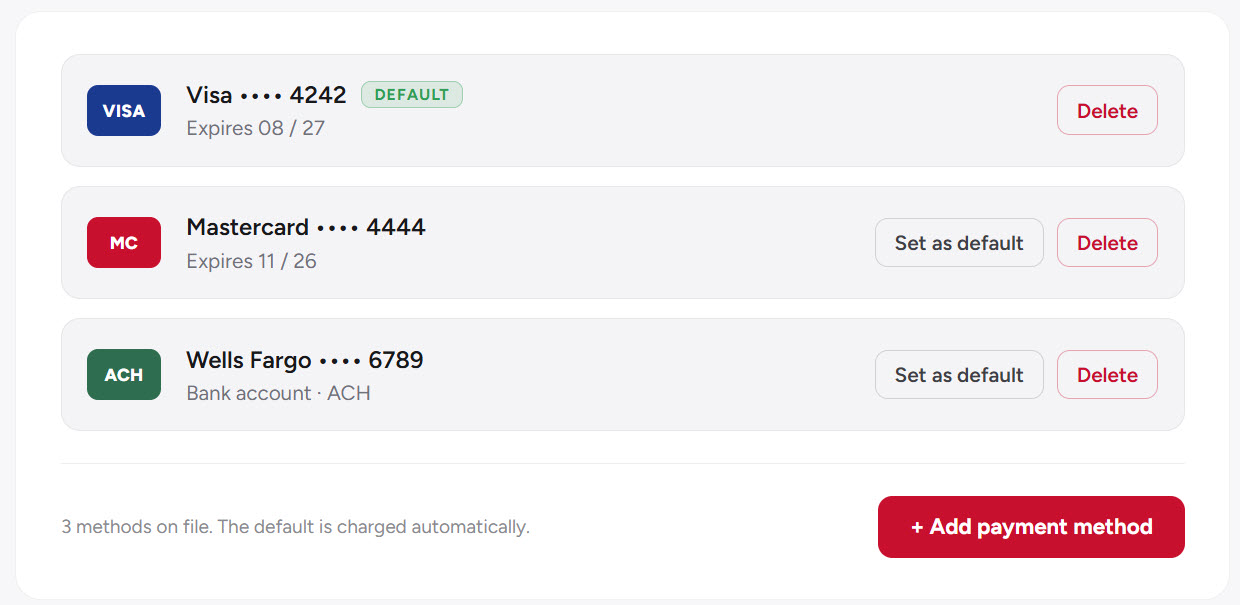
The method marked Default is charged automatically. To switch, click Set as default on any other method.
Remove a payment method
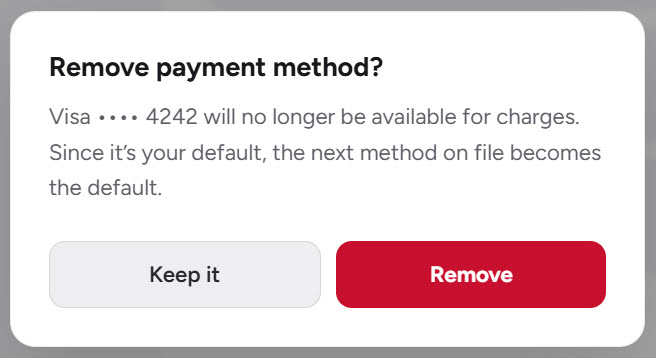
Click Delete next to the method, then confirm. A couple of things to know:
- You can’t remove your only payment method — add another one first.
- If you remove your default, the next method on file automatically becomes the new default.
Note: Only the account owner can manage payment methods. All card and bank details are handled securely by Stripe and are never stored on our servers.